Datamosh Meaning: What Is Datamoshing? Free 1-Click Tool
To understand how does datamoshing work, consider how video files compress motion: pixels from one scene are forced to follow the motion vectors of the next. By stripping keyframes (I-frames) or duplicating predictive motion data (P-frames), playback engines warp leftover images instead of rendering a clean cut. Rather than corrupting raw video files by hand, you can emulate this liquid compression aesthetic directly in your browser.
 BEFORE
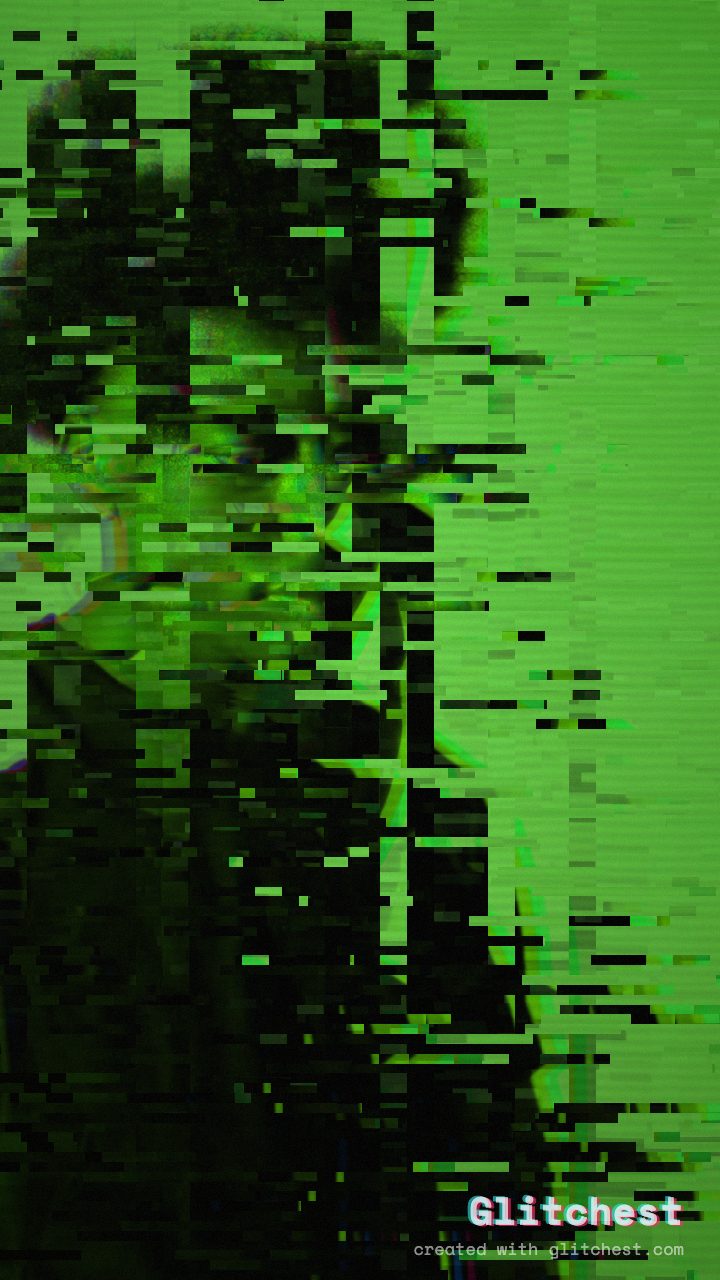 AFTER
AFTERThe one-paragraph explanation
Compressed video doesn't store every frame in full. It stores occasional complete frames (keyframes / I-frames) and, in between, only the motion needed to get from one frame to the next (P-frames). Datamoshing deletes keyframes or repeats motion data, so the player applies the movement from one shot onto the pixels of another. The result: colors and shapes smear and drift instead of cutting cleanly.
Why the classic method is a pain
The old-school approach means opening a video in a hex editor or a fragile toolchain, hunting for keyframes, and stripping them out by hand. Do it wrong and you get a black screen, a crash, or an unplayable file. It also produces unpredictable results that are hard to repeat.
The safe way: recreate the effect with controls
Instead of breaking a real file, the Glitchest editor reproduces the datamosh look with adjustable controls — so it's repeatable, previewable, and never leaves you with a corrupted export.
- Load two moments or one moving clip. Datamosh reads best where there's motion to smear.
- Pick the Datamosh preset. This sets up the frame-bleed and smearing in one click.
- Time it with an effect box. Place a box right on the cut with a quick fade-in so the bloom builds and lands exactly on the transition.
- Export a clean MP4. The output is a normal, shareable file — the chaos is baked into the pixels, not into a broken container.
Where datamosh looks best
- Transitions between two clips — the signature "bloom" on the cut.
- Beat drops in music videos, ramped in with a faded effect box.
- Dreamy or unsettling moments where you want reality to feel unstable.
Datamosh vs. glitch vs. VHS
They're cousins, not twins. VHS is analog tape degradation (see our VHS effect guide). Glitch is broad digital breakage — RGB splits, blocks, tearing. Datamosh specifically abuses inter-frame compression to make motion melt. Many edits layer all three.
Try it without the risk
You don't need a special build of an old encoder or a corrupted source file. Open the editor, pick Datamosh, and export a clean MP4 — free, in your browser, nothing uploaded.
What Is Datamosh? The Meaning and Mechanics Behind the Aesthetic
At its core, the datamosh meaning comes from digital video compression formats. Modern video files rely on two main data types: I-frames, which contain complete image data, and P-frames or B-frames, which only store the motion vectors between frames. Datamoshing occurs when an I-frame is removed or corrupted; without a fresh full-frame image to refresh the scene, the new motion vectors drag and smear pixels from the previous scene into the next.
Instead of manually hex-editing raw files and risking corrupted video containers, you can recreate this aesthetic safely inside Glitchest. Because processing happens entirely client-side in your browser, your media never uploads to any server.
To build a datamosh transition on the timeline:
- Drop your footage into the editor and select the Datamosh preset chip.
- Use the 0–100 knobs to dial in the smear intensity and artifact direction.
- Position the effect box over the cut point and drag the fade handles to blend the melting motion smoothly between shots.
When you are happy with the preview, click Save Frame for a crisp PNG still or hit Export to render out your finished MP4 video.
What Is Datamoshing and How Does It Work?
To understand what is datamoshing, you have to look at how modern video compression works. Instead of storing every full image, video codecs save full keyframes (I-frames) at intervals and then use predictive delta frames (P-frames and B-frames) that only record motion vectors. How datamoshing works traditionally is by deleting an I-frame at a scene transition: because there is no new image to draw, the incoming motion vectors apply movement data directly to the pixels of the previous shot, melting the two together.
Classic file-corrupting methods often crash playback engines and destroy file containers. You can generate the same melting motion safely inside Glitchest, where all processing happens directly in your browser and nothing uploads to a server.
- Drop your clip onto the canvas and select the datamosh preset chip.
- Dial in smear strength and displacement using the 0–100 parameter knobs.
- Place the effect box over scene cuts on the timeline and drag the fade handles to control how long the pixel dragging persists.
- Preview the glitch in real time, then click Save Frame (PNG) for still art or Export (MP4) to render your video.
How Datamoshing Works: Codec Mechanics and In-Browser Emulation
Traditional datamoshing exploits inter-frame compression formats like MPEG-4. Video files rely on I-frames to deliver complete image captures and P-frames to track only the directional movement of pixels between those full frames. When an I-frame at a cut point is deleted, the media player applies the incoming scene's motion vectors to the previous scene's pixels, dragging and melting the existing frame across the screen.
You can reproduce this aesthetic reliably inside Glitchest without breaking file containers or running command-line scripts. Because processing takes place entirely in-browser, nothing uploads to a server, keeping your project files private and immediate.
To control the motion-smear effect on your footage:
- Apply the effect using the preset chips, or position a datamosh block directly onto your video track.
- Adjust the 0-100 knobs to dial in the amount of displacement, artifacting, and vector persistence.
- Drag the timeline effect boxes with fade handles to feather the distortion into scene transitions.
- Capture a still with Save Frame (PNG) or render the final animated motion with Export (MP4).
The exact settings
Start from the Datamosh preset, then set:
| Strength (master) | 52 |
| Glitch Rate | 42 |
| Glitch Width | 48 |
| Block Size | 42 |
| Chaos | 42 |
| Datamosh (trail) | 28 |
| Horizontal Wave | 14 |
| Vertical Wave | 10 |
| Vertical Shift | 30 |
| Vertical Shake | 18 |
| RGB Split | 54 |
| Hue Shift | 26 |
| Noise | 10 |
| Scanlines | 15 |
| Flicker | 12 |
Everything else stays at its default — tweak it, then copy your own look as JSON or a link from inside the editor to share it.
Try it now — add this look to your own clip, free and in your browser.
Open the editor →FAQ
What is datamoshing?
Datamoshing is a glitch technique that removes or duplicates keyframes in compressed video so motion from one shot bleeds into another, creating a melting, smearing effect.
Is datamoshing hard to do?
Traditionally yes — it meant editing raw codec data and often corrupting files. Glitchest recreates the look with controls, so you get the effect without the risk.
Can I datamosh online for free?
Yes. Glitchest produces a datamosh-style effect free and in your browser, then exports a clean MP4.
How does datamoshing work?
Datamoshing works by manipulating video compression data, typically by removing keyframes (I-frames) so that motion vectors apply pixel movement from one scene onto another. This causes visual details from consecutive clips to bleed together, creating a characteristic melting or warping glitch effect.