Databending vs Datamoshing: The Difference, Explained
Having classic datamoshing techniques explained makes it easy to understand how frame removal and motion vector bleeding transform everyday video into surreal digital art. While databending corrupts raw file code indiscriminately, datamoshing specifically exploits predictive compression to blend moving pixels across cuts. Understanding both methods gives you full creative control over intentional digital glitching.
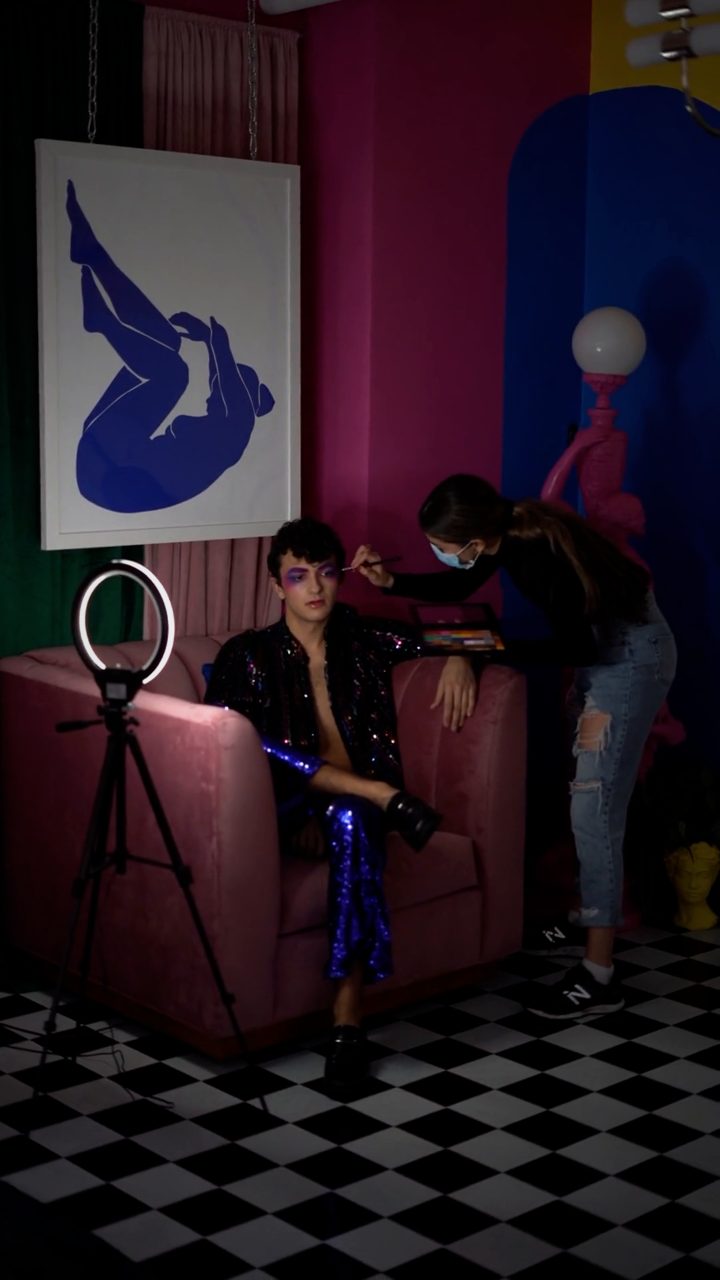 BEFORE
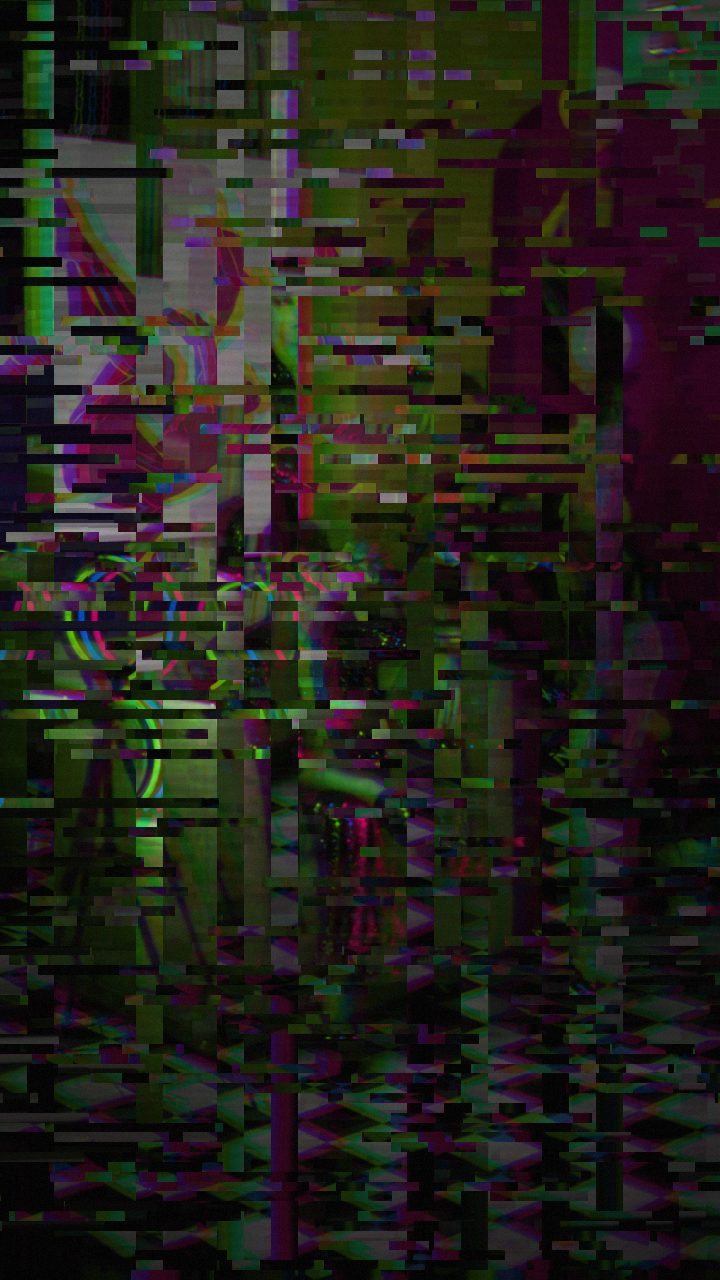 AFTER
AFTERWhat Is Databending?
Databending is the practice of manipulating a media file by treating its underlying data as if it were a completely different format. Because computer files are ultimately just streams of bytes, you can force software to open an image file as audio, or open a video file in a text editor.
For example, a classic databending experiment involves taking a JPEG image, opening it inside an audio editing tool like Audacity as raw data, applying audio filters like delay, echo, or pitch shift, and exporting it back out as an image file. The resulting output usually features striking horizontal color shifts, static lines, or displaced pixel grids. Another common form of databending is opening a raw image file in a hex editor or text editor and manually deleting or pasting random strings of text into the body of the file code. If you avoid breaking the header—the portion of code that tells software how to read the file—the file will render with unexpected visual corruptions.
What Is Datamoshing?
Datamoshing is a specialized video glitch technique that exploits how modern video compression handles motion between video frames. Instead of storing every full image frame individually, video codecs like H.264 use compressed frame types to save file size:
- I-Frames (Keyframes): Complete, standalone image frames that contain all visual information for that instant.
- P-Frames (Delta Frames): Partial frames that only store pixel movement and changes from the previous frame.
- B-Frames (Bi-directional Frames): Frames that predict motion based on both preceding and upcoming frames.
Datamoshing works by manipulating or deleting these frame types. If you strip away an I-frame while leaving the subsequent P-frames intact, the video player attempts to apply the motion vectors of the new scene over the static image of the old scene. The visual result is a signature fluid melt, where pixels from one clip stretch, smear, and blend into the next clip. You can explore a deeper breakdown of codec mechanics in our detailed guide on what datamosh is.
Databending vs. Datamoshing: Key Differences
To summarize the fundamental differences between the two aesthetics:
- Scope of Media: Databending can be applied to still photos, audio files, and video clips alike. Datamoshing is specific to video streams because it relies on motion vector compression.
- Methodology: Databending reshapes data through cross-format interpretation (e.g., treating image bytes like sound waves). Datamoshing tampers with frame order, keyframe retention, and codec compression instructions.
- Visual Character: Databending produces static streaks, corrupted block structures, and color spectrum banding. Datamoshing creates liquid pixel dragging, melting motion transitions, and dynamic visual bleeding across clips.
How to Create Datamosh & Glitch Effects Online
Traditionally, both databending and datamoshing required terminal scripts, audio editing hacks, or hex software that often resulted in unusable, permanently broken files. Today, you can emulate these exact visual artifacts in real time without corrupting your source files or uploading your media to remote servers.
- Open the editor directly in your web browser. Drag and drop your source video or image into the workspace; your file stays entirely on your local device for maximum privacy and fast performance.
- Select the Datamosh preset from the toolbar to instantly apply motion-blur vector smearing, or select Cyber Glitch or Broken Monitor for databent digital static.
- Use effect boxes on the timeline to control the exact moments where glitch intensity spikes. Drop a short box at clip cuts to mimic the classic missing keyframe melt of genuine datamoshing.
- Apply mask shapes (rectangle or ellipse) if you want to isolate the datamosh smearing to specific regions of the frame, such as a subject's face or background motion.
- Adjust the Time Machine film-look dial to layer analog warmth, subtle grain, or color drift over the digital compression artifacts.
- Click Save Frame to export a high-res PNG still, or click export to generate a clean MP4 video via WebCodecs—free, instant, and.
Tips for Better Glitch Visuals
Whether you choose true data corruption or browser emulation, high-contrast movement produces the best results. Videos featuring high contrast between the subject and background, fast camera pans, or bold motion changes create dramatic pixel bleeding when datamoshed. Combining subtle digital artifacts with analog presets like CRT scanlines or signal jamming adds realistic depth to your creative edits.
Popular Datamoshing Techniques Explained
Traditional datamoshing relies on two primary compression manipulation techniques: I-frame removal and P-frame duplication. I-frame removal deletes the reference keyframe that defines a new scene, forcing subsequent motion data to apply directly onto the previous scene's pixels to create fluid melting transitions. P-frame duplication repeats delta motion vectors, dragging textures across the frame to produce continuous pixel smears.
You can recreate these aesthetic artifacts directly in your browser using Glitchest without needing command-line tools or hex editors:
- Vector Smear & Melt: Select a datamosh preset chip, place the effect box over a cut on the timeline, and adjust the 0-100 intensity knob to control how aggressively colors and textures bleed together.
- Transition Blending: Drag the fade handles on the timeline effect box to gradually phase pixel displacement in and out during high-motion action sequences.
Because everything runs entirely client-side, your files never upload to a server. Once you dial in your look, click Save Frame to capture a still PNG or hit Export to download your glitch video as an MP4.
The exact settings
Start from the Datamosh preset, then set:
| Strength (master) | 52 |
| Glitch Rate | 42 |
| Glitch Width | 48 |
| Block Size | 42 |
| Chaos | 42 |
| Datamosh (trail) | 28 |
| Horizontal Wave | 14 |
| Vertical Wave | 10 |
| Vertical Shift | 30 |
| Vertical Shake | 18 |
| RGB Split | 54 |
| Hue Shift | 26 |
| Noise | 10 |
| Scanlines | 15 |
| Flicker | 12 |
Everything else stays at its default — tweak it, then copy your own look as JSON or a link from inside the editor to share it.
Try it now — add this look to your own clip, free and in your browser.
Open the editor →FAQ
What is the main difference between databending and datamoshing?
Databending involves modifying raw file code or opening media files in non-media software like text or audio editors, whereas datamoshing specifically targets video compression frames like I-frames and P-frames to melt motion.
Do I need hex editors or command-line tools to datamosh video?
While traditional datamoshing required corrupting files in hex editors or specialized software, modern web tools let you recreate the aesthetic instantly without touching code.
Will databending corrupt my original source video files?
If you manipulate raw files directly on your computer without backups, databending can permanently break them; however, browser-based glitch generators process frames nondestructively without altering your originals.
What are the main datamoshing techniques and how do they work?
The primary datamoshing techniques are I-frame deletion, which removes keyframes so motion carries across scene cuts, and P-frame duplication, which repeats motion frames to produce melting, smeared trails. You can experiment with these compression glitch effects directly in your browser using Glitchest at /app/.