Databending Guide: Make Glitch Art for Free Online
If you have ever seen a video melt into a trail of smearing pixels or heard raw image code translated into haunting audio textures, you have witnessed databending and datamoshing in action. These two foundational glitch art techniques distort digital media by manipulating underlying file code and video compression structures.
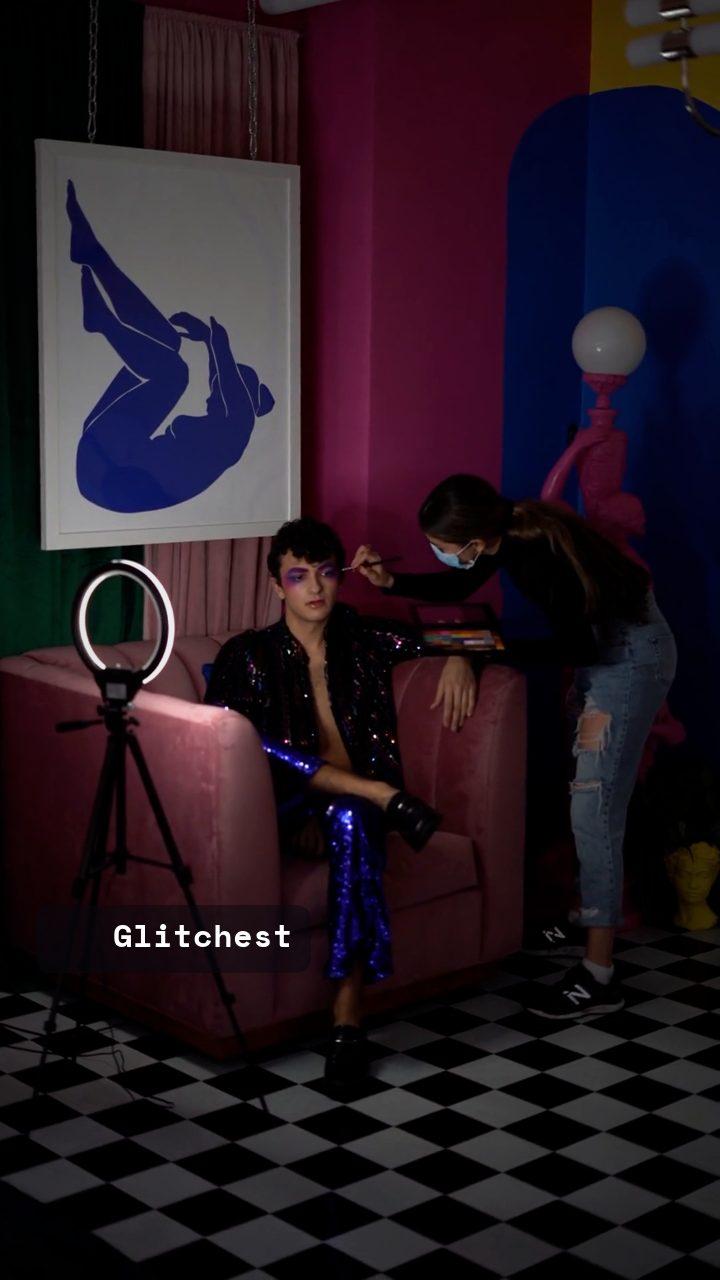 BEFORE
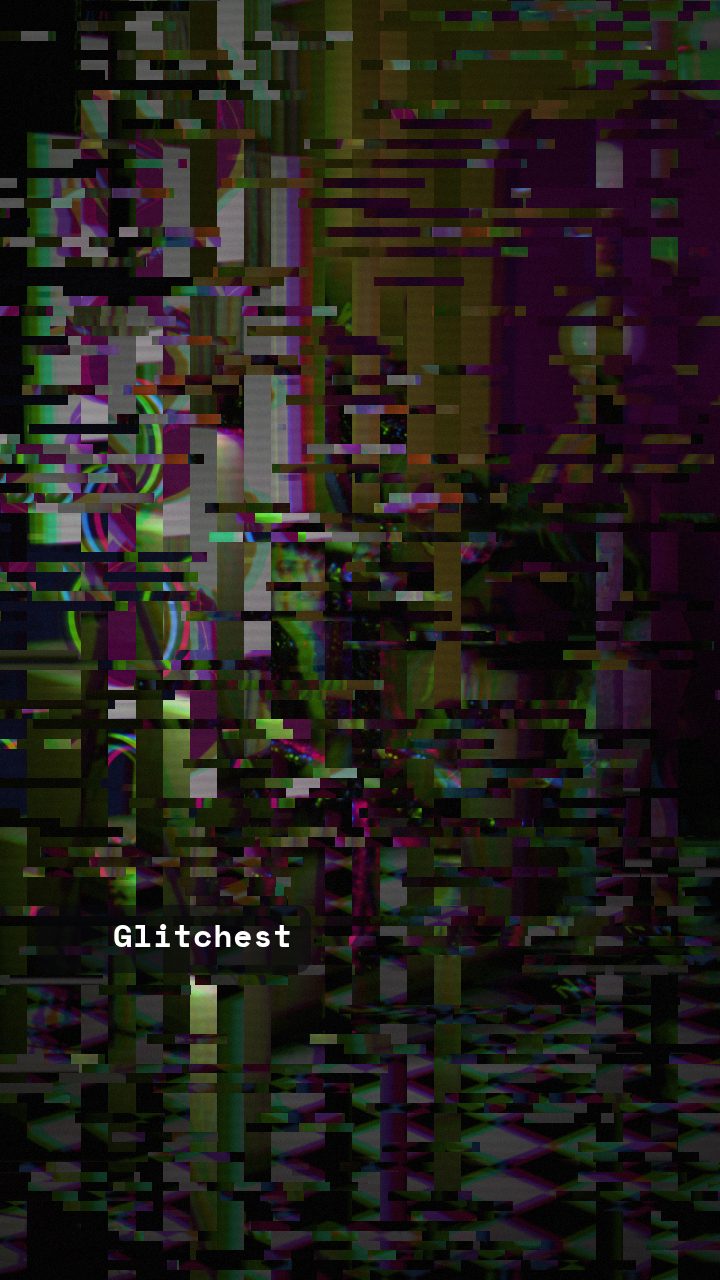 AFTER
AFTERWhat Is Databending?
Databending is the creative manipulation of media files by altering their raw data directly or opening them in software meant for completely different file formats. Because digital files are ultimately streams of binary code (ones and zeros), a file header or pixel array can be manipulated outside its intended environment.
There are three primary methods creators use for traditional databending:
- The Hex Editor Approach: Opening a JPEG or PNG image in a hex editor allows you to delete, duplicate, or overwrite arbitrary bytes. When you resave the file and open it in an image viewer, the corrupted data creates color shifting, broken pixel rows, or missing slice segments.
- The Sonification Method: Importing raw image or video data into audio editing tools (like Audacity) as raw pulse-code modulation (PCM) data allows you to "listen" to an image. Applying audio effects like reverb, delay, or pitch shifting distorts the pixel sequence. Exporting the audio back as a raw image creates striking horizontal streaks and pixel shifting.
- Format Conversion Glitches: Forcing a file through incompatible conversions or saving complex image structures as uncompressed text files introduces unexpected artifacting when reopened.
What Is Datamoshing?
While databending focuses on manipulating file data across different formats, datamoshing specifically targets video compression frames. Modern digital video codecs—such as H.264 or MPEG-4—save bandwidth by storing two main types of frames: keyframes (I-frames) and delta frames (P-frames and B-frames).
I-frames contain complete, standalone image details for a video scene. P-frames and B-frames do not hold complete pictures; instead, they store motion vectors that tell the video player how to move pixels from the previous frame forward in time. Datamoshing works by deliberately removing or duplicating these frame structures:
- I-Frame Removal (I-Frame Deletion): When an I-frame is removed right at a scene cut, the video player attempts to apply the motion vectors of the new clip onto the static pixel data of the previous clip. This causes the texture of the first video to "melt" seamlessly into the motion of the second video.
- P-Frame Duplication (Pixel Bleed): By duplicating motion-vector P-frames repeatedly, motion continues endlessly while image detail breaks down into painterly pixel trails and liquid smearing.
If you want to dive deeper into the mechanics of video frame compression, check out our dedicated guide on what is datamosh to understand how compressed video vectors interact during playback.
Databending vs. Datamoshing: Key Differences
Although both styles exploit data corruption to build surreal visuals, understanding their structural differences helps you choose the right approach for your project:
- Target Medium: Databending is primarily applied to static images and audio streams (though it can be applied to individual video frames), whereas datamoshing specifically relies on video motion compression frames.
- Corruption Method: Databending modifies file bytes, header data, or signal frequencies. Datamoshing manipulates temporal motion vectors and frame indices within video containers.
- Visual Aesthetic: Databending yields harsh chromatic noise, pixel displacements, and static color bands. Datamoshing yields fluid pixel melting, kinetic texture swaps, and blooming smears.
To compare these workflows in greater detail, consult our comprehensive databending vs datamoshing guide.
How to Get the Look Safely Without File Corruption
Traditional databending and datamoshing require manual file hexing, command-line utilities, or specialized video bending scripts. One wrong byte deletion can render an entire file unreadable or corrupt your source assets. Fortunately, you can achieve authentic glitch, datamosh, and databend visual effects directly in your web browser without risking corrupted source files.
Follow these simple steps using the editor on Glitchest:
- Upload Your Asset: Launch the browser studio and drag your video clip or image directly into the workspace. Because all processing runs locally inside your browser via WebCodecs and HTML5 canvas, your assets are never uploaded to an external server.
- Apply Glitch Presets: Choose from built-in style options such as Datamosh, Cyber Glitch, Broken Monitor, Signal Jam, or Y2K to instantly generate pixel-smearing and signal bending effects.
- Target Specific Areas with Masking: Use rectangle or ellipse masking shapes to isolate the glitch effect to specific subjects, backgrounds, or focal points within your composition.
- Fine-Tune Timing with Effect Boxes: Add effect boxes on the timeline to place your glitch intensity in time. Drop a short box with little or no fade to trigger sudden datamosh bursts during beat drops or transition cuts.
- Add Vintage Texture: Adjust the Time Machine film-look dial to layer authentic analog grain, frame roll, and signal degradation over your digital bend.
- Export Clean Output: Click export to render crisp MP4 video files powered by WebCodecs hardware acceleration, or capture high-resolution PNG stills instantly using the Save Frame feature—completely free.
By combining real-time canvas rendering with algorithmic displacement, you get full creative control over pixel smearing and digital artifacting without needing complex command-line video editing tools.
The exact settings
Start from the Datamosh preset, then set:
| Strength (master) | 52 |
| Glitch Rate | 42 |
| Glitch Width | 48 |
| Block Size | 42 |
| Chaos | 42 |
| Datamosh (trail) | 28 |
| Horizontal Wave | 14 |
| Vertical Wave | 10 |
| Vertical Shift | 30 |
| Vertical Shake | 18 |
| RGB Split | 54 |
| Hue Shift | 26 |
| Noise | 10 |
| Scanlines | 15 |
| Flicker | 12 |
Everything else stays at its default — tweak it, then copy your own look as JSON or a link from inside the editor to share it.
Try it now — add this look to your own clip, free and in your browser.
Open the editor →FAQ
What is the difference between databending and datamoshing?
Databending involves modifying raw file data, code, or audio signals to corrupt static media, whereas datamoshing specifically manipulates video compression frames like I-frames and P-frames. Both produce distinct glitch aesthetics through different methods.
Do I need specialized software to datamosh video?
Traditional datamoshing required command-line utilities or hex editors, but you can achieve identical visual effects safely in your browser using tools like Glitchest. This lets you apply pixel smearing and motion glitches without risking permanent file damage.
Can databending damage my computer?
Editing source files in a hex editor will not harm your hardware, but it can render the target file completely unopenable. Working on duplicate files or using browser-based visual simulation tools prevents permanent data loss.