Y2K Webcam Look Recipe: Early 2000s Digital Aesthetic
Capture the playful, low-fidelity charm of turn-of-the-millennium video chats with the Y2K Webcam look. This recipe recreates the compressed artifacts, vibrant color shifts, and cozy pixelated textures of early digital cameras without leaving your browser.
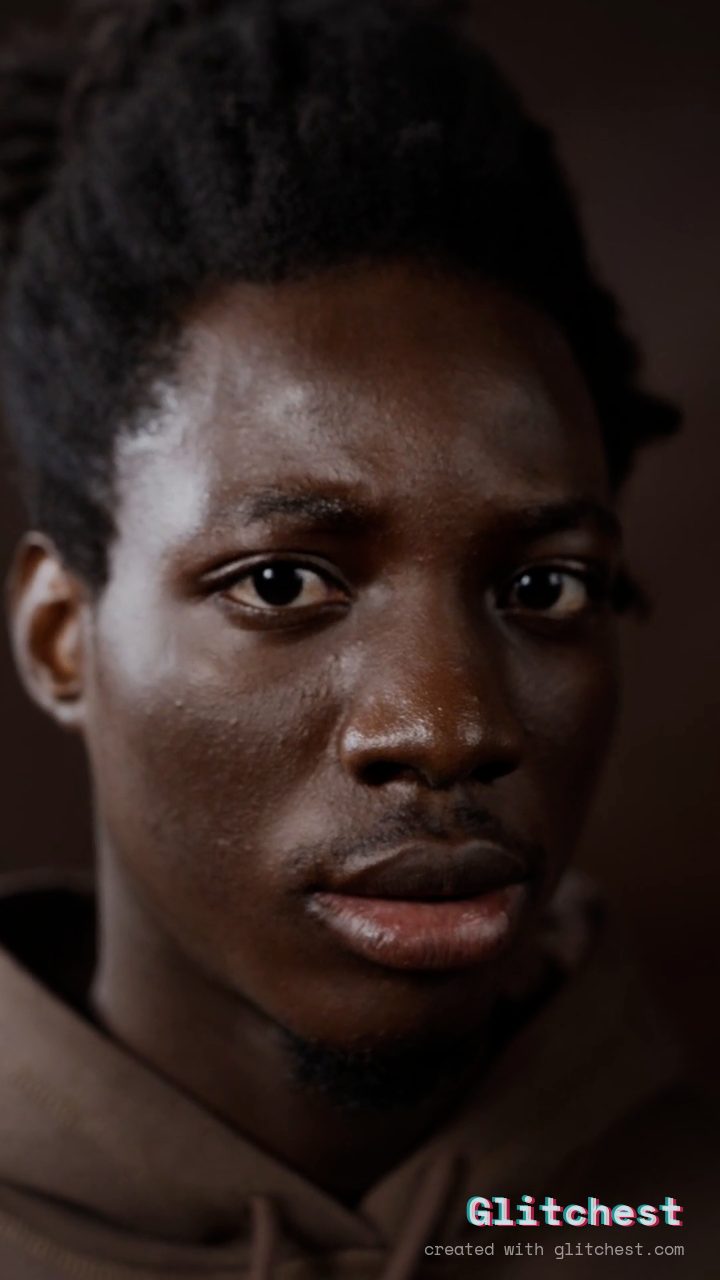 BEFORE
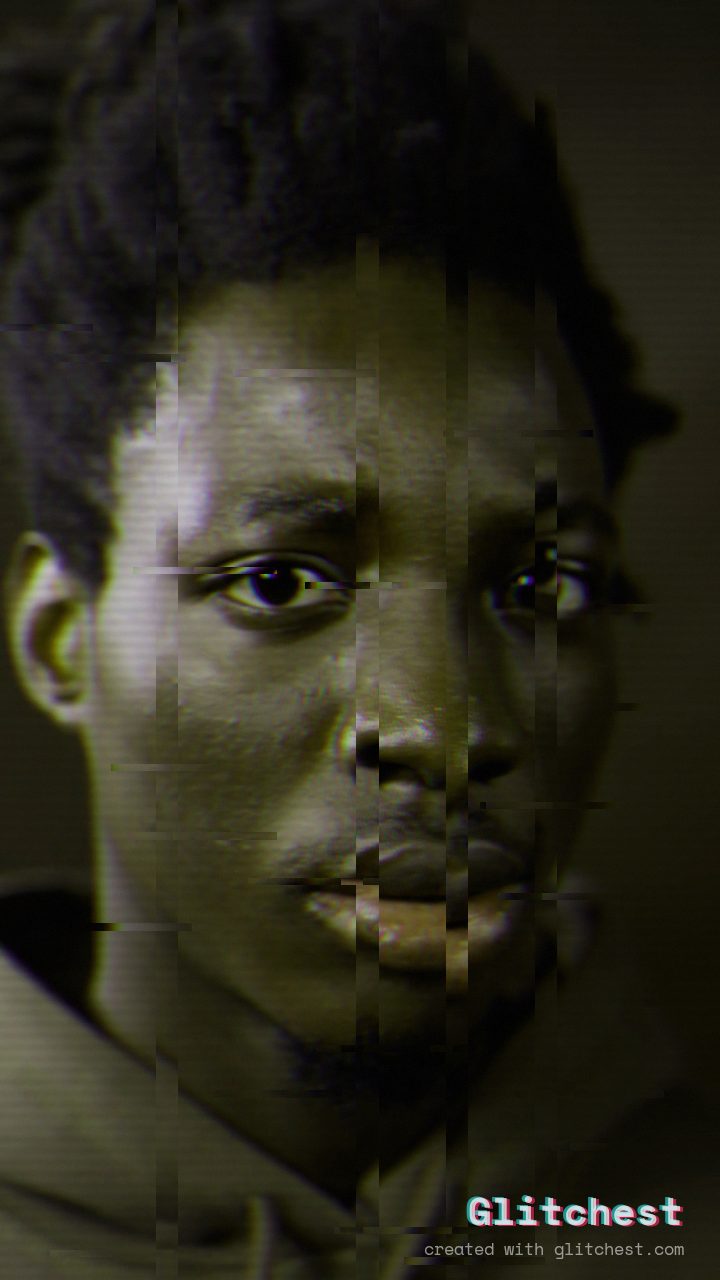 AFTER
AFTERWhy this look works
Deconstructing the Early Digital Aesthetic
The secret to authentic webcam nostalgia lies in heavy RGB splitting paired with gentle frame noise and hue shifting. Strong color channel separation mirrors the chromatic fringing produced by budget CMOS camera sensors of the early 2000s, while shifting the hue gives skin tones an artificially warm, early-digital tone.
To ground the effect, moderate scanlines and pixelated block artifacts emulate the heavy compression algorithms of early internet streaming. Combining subtle horizontal wave motion with light flicker creates a dynamic, living texture that feels genuinely retro without overpowering your subject.
The recipe
Start from the Y2K preset, then set:
| Strength (master) | 44 |
| Glitch Rate | 24 |
| Glitch Width | 38 |
| Block Size | 24 |
| Chaos | 26 |
| Datamosh (trail) | 10 |
| Horizontal Wave | 18 |
| Vertical Wave | 8 |
| Vertical Shift | 17 |
| RGB Split | 88 |
| Hue Shift | 62 |
| Noise | 22 |
| Scanlines | 52 |
| Flicker | 8 |
Everything else stays at its default. Open the editor →
When to use it
The Y2K Webcam style delivers an instant dose of cyber-nostalgia, making it a versatile choice for expressive visual media:
- Stylized profile pictures and pixelated avatar renders
- Throwback music video clips and band promo reels
- Nostalgic social media edits and aesthetic photo posts
- Early-internet themed graphic art and motion design
To tweak this look inside the editor, try pushing the RGB Split slider further for dramatic color fringing, or dial back the Noise control for a cleaner early-digital finish. For more tips on mastering this era's unique visual style, read our guide on How to Get the Y2K Aesthetic on Your Videos (Free).
Try it now — add this look to your own clip, free and in your browser.
Open the editor →FAQ
Can I apply the Y2K Webcam effect to photos as well as videos?
Yes, Glitchest processes both photos and video clips entirely in your browser without requiring account sign-ups.
How do I make the look feel more like an instant messenger chat?
Increasing the Block Size slider or adding a hint of datamosh frame trailing will amplify the low-bitrate video compression feel typical of early chat clients.
Will exporting my video reduce its original frame rate or resolution?
Your final export maintains its source dimensions and frame rate while embedding the customized digital glitch render directly onto the media.