Retro Game Console Look Recipe: 16-Bit Pixel Style
The Retro Game Console look transforms modern video footage into punchy, mosaic-rendered 16-bit graphics straight off an early nineties cartridge. By crunching details into bold pixel blocks and quantizing tones into a stylized palette, this preset recreates the nostalgia of classic CRT gaming without tedious frame-by-frame pixel art design work.
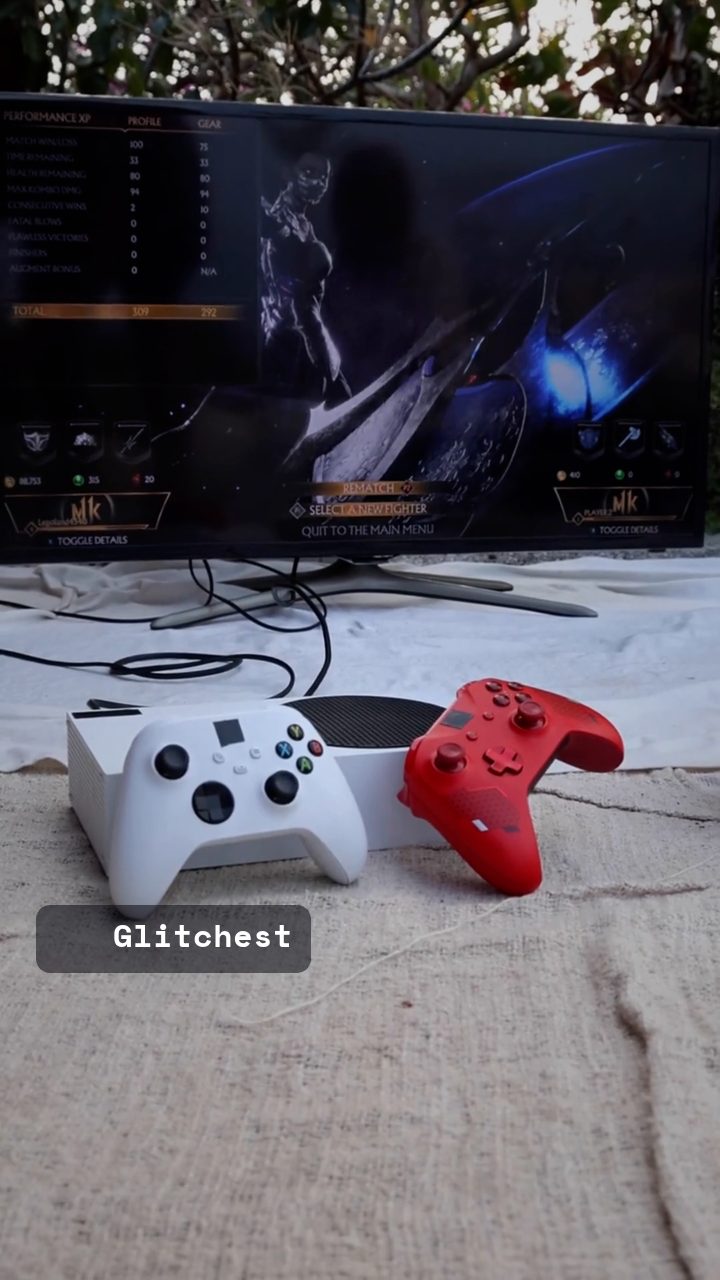 BEFORE
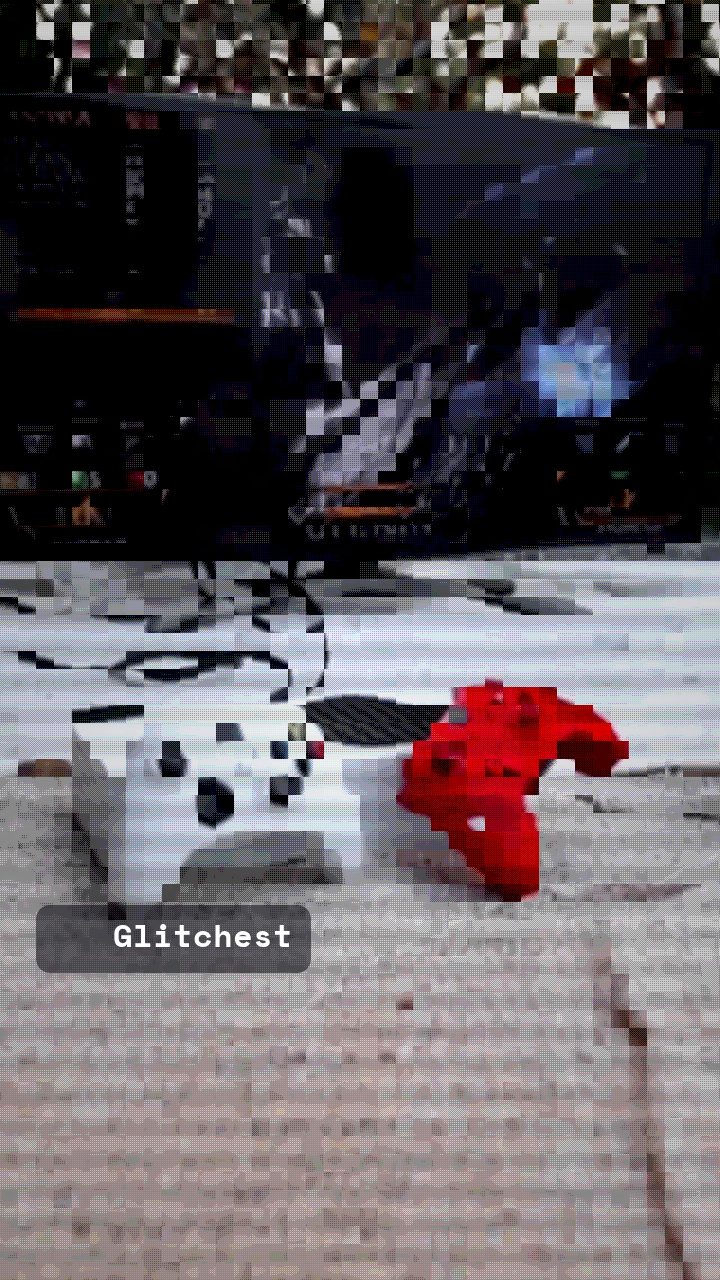 AFTER
AFTERWhy this look works
Deconstructing the 16-Bit Hardware Look
The pixel mosaic filter and palette limiter do the heavy lifting in this look. Heavy pixelation strips away fine high-definition details, forcing complex real-world scenes into simple geometric blocks. When paired with restricted palette quantizing, midtones collapse into distinct color bands, giving digital video the distinct visual charm of limited video RAM.
Contrast and brightness adjustments keep the subject punchy despite the loss of sharpness. Pushing saturated tones ensures primary colors pop off the screen, while subtle raster lines mimic the physical phosphor display of vintage tube screens. Be careful not to over-expand block sizes, or your subject will dissolve into unrecognizable monochrome squares.
The recipe
Start from the Retro Game preset, then set:
| Color Boost | 50 |
| Brightness | 54 |
| Contrast | 62 |
| Scanlines | 24 |
| Pixelate | 64 |
| Retro Palette | 78 |
Everything else stays at its default — tweak it, then copy your own look as JSON or a link from inside the editor to share it.
What footage suits it
Not every clip translates cleanly into coarse mosaic clusters. Choose source footage that features strong physical geometry and defined lighting.
- High-contrast lighting: Clear separation between subject and background keeps silhouettes readable when resolution drops.
- Bold, solid colors: Vibrant wardrobe choices or colorful environments give the palette limiter rich tones to lock onto.
- Moderate subject motion: Steady motion allows viewers to absorb the stylized pixel clusters without overwhelming visual noise.
Avoid busy, low-contrast scenes with fine foliage or muddy shadows, as these quickly degrade into unrecognizable gray visual noise.
Common mistakes
- Symptom: The subject dissolves into unreadable blob shapes. Fix: Reduce the Pixelate slider until main outlines snap back into clear view.
- Symptom: Dark scenes look completely washed out and flat. Fix: Increase Contrast and lower Brightness slightly to restore shadow depth.
- Symptom: Color transitions show harsh noise artifacts instead of smooth retro banding. Fix: Dial back Color Boost or lower Retro Palette to smooth out bit-depth clamping.
When to use it
This retro graphics recipe is designed to give modern digital media an unmistakable gaming heritage feel.
- Gaming reels & clip highlights: Frame your best play moments with an authentic retro UI aesthetic.
- Pixel-art intros & title cards: Turn real-world footage into animated bit-style intro bumpers for streams.
- Twitch overlay graphics: Style webcams or background loops to match retro broadcast themes.
- 8-bit style music videos: Transform live performance takes into stylized digital arcade adventures.
Load your footage into the editor to adjust mosaic density for your target render size. For a broader CRT broadcast look instead of crunchier game graphics, check out our Retro Synthwave Look Recipe: 80s Arcade Style guide.
Try it now — add this look to your own clip, free and in your browser.
Open the editor →FAQ
What source video resolution works best for a 16-bit console aesthetic?
High-contrast footage with clear silhouettes renders best, as coarse mosaic blocks need distinct color boundaries to maintain recognizable shapes.
How do I keep text overlay legible through the heavy pixelation?
If text blurs into background pixels, back off the block mosaic strength slightly or boost contrast so letter edges snap cleanly against the frame.
Can I emulate an 8-bit style hardware look with this setup?
Yes, increasing the retro palette constraint and coarsening the pixel block size restricts color depth further, giving you a harsher early-80s console look.