Dead Signal Horror Look Recipe: Cold Analog Distress
The Dead Signal Horror look transforms footage into a cold, hijacked TV transmission that feels like an off-air warning. Stripping away color while piling on static and vertical instability, it creates a deeply unsettling broadcast visual.
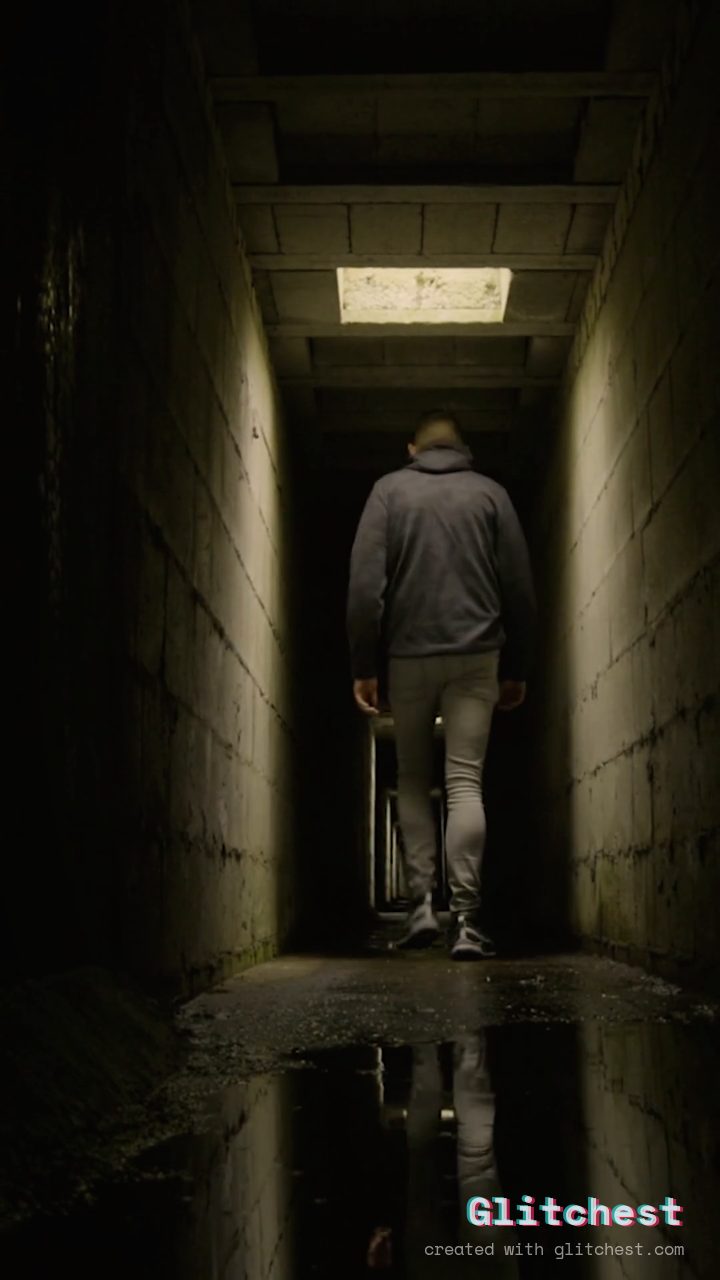 BEFORE
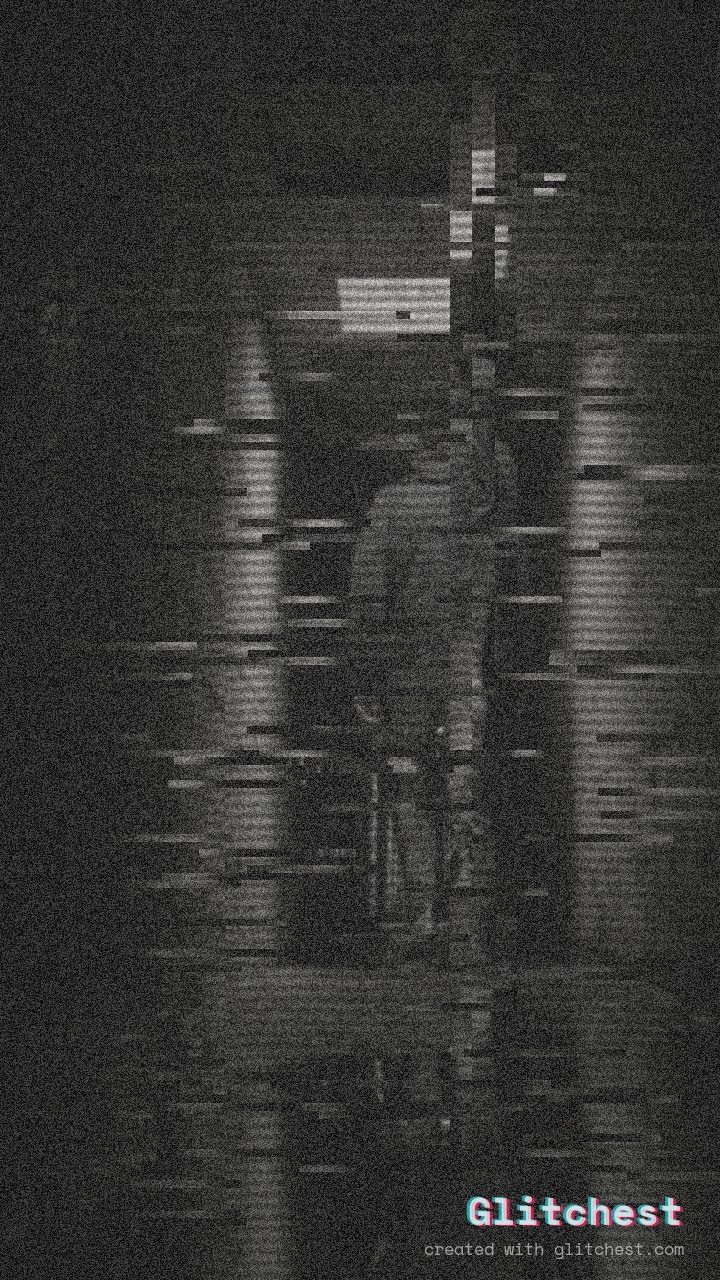 AFTER
AFTERWhy this look works
Deconstructing the Hijacked Transmission
The heavy lifting in this look comes from total monochrome conversion paired with dense visual noise and heavy scanlines. By eliminating color entirely, the viewer's focus shifts to the harsh visual texture and structural instability of the frame, instantly evoking abandoned late-night television broadcasts.
Subtle vertical shake and horizontal wave distortions introduce an unpredictable signal jitter. Combined with light datamoshing trails and rapid flicker, the image appears constantly on the verge of collapsing into pure static without obscuring the core subject completely.
The recipe
Start from the Dead Channel preset, then set:
| Strength (master) | 46 |
| Glitch Rate | 22 |
| Glitch Width | 24 |
| Block Size | 25 |
| Chaos | 26 |
| Datamosh (trail) | 12 |
| Horizontal Wave | 30 |
| Vertical Wave | 22 |
| Vertical Shift | 15 |
| Vertical Shake | 30 |
| RGB Split | 10 |
| Grayscale | 100 |
| Noise | 88 |
| Scanlines | 86 |
| Flicker | 60 |
Everything else stays at its default. Open the editor →
When to use it
This preset configuration is built specifically for projects that need a haunting, unmonitored atmospheric threat. Check out our Analog Horror Video Effects: A Beginner's Guide for deeper breakdown concepts, or apply this look directly to these project types:
- Analog horror web series and ARG found-footage clips
- Creepypasta audio visualizers and title intros
- Halloween event teasers and haunted attraction promos
- Psychological thriller trailers and emergency broadcast parodies
If the scene feels too obscured for your narrative, open the editor and dial back the noise slider slightly while keeping scanlines high to preserve the CRT monitor structure.
Try it now — add this look to your own clip, free and in your browser.
Open the editor →FAQ
What makes the Dead Signal look feel so unsettling?
By stripping away color and driving up static, scanlines, and vertical jitter, it mimics a lost or intercepted emergency broadcast signal.
Can I use this recipe on still photos as well as video?
Yes, this recipe works on both photos and video clips, though the vertical shake and signal flicker are especially effective on motion footage.
How can I make the source video more recognizable without ruining the mood?
You can dial down the master strength or lower the static noise level in the editor to pull back detail while keeping the cold CRT atmosphere.